Getting Started with CraftMyPDF and the PDF Designer
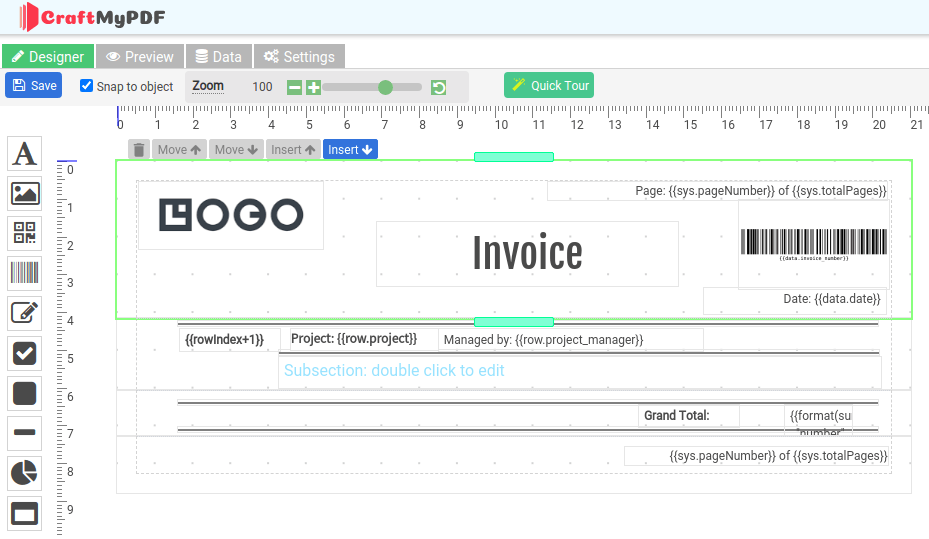
CraftMyPDF offers a web-based drag & drop PDF template editor that lets you design templates and generate pixel-perfect PDF documents from reusable templates. In this article, we will cover the basics of PDF template editor, page breaks, data-binding, preview, and others.
Make.com: Automate PDF Creation with CraftMyPDF

With CraftMyPDF’s PDF Generation API and Make.com integration, you can easily automate your workflow to create PDFs from a template. This tutorial will walk you through creating a PDF document with Make.com from CraftMyPDF’s PDF template. Prerequisite: You need to create a new PDF template first on CraftMyPDF. Read this step-by-step tutorial to create a new PDF […]
How to Create a PDF Template with CraftMyPDF

This tutorial covers the steps to create a new reusable template and also how to obtain the API Key in the web management console. 1. Create a new reusable PDF template on CraftMyPDF.com (i) Register or log in to http://craftmypdf.com (ii) After login, click on Manage Templates on the side menu (iii) In the Manage Templates page, click on New […]
How to Create a PDF with Zapier and CraftMyPDF.com

Zapier makes it easy to connect your apps, but creating professional PDF documents from form submissions, CRM records, spreadsheets, or orders usually needs a dedicated PDF generation tool. In this guide, I’ll show you how to use CraftMyPDF with Zapier to automatically generate PDF documents from dynamic data. You can use this workflow for invoices, […]