Design and Generate Pixel-Perfect PDF Documents in Minutes
Generate professional PDF documents faster with reusable templates, dynamic data, and no-code or API-based automation.
- Easy-to-use drag & drop template editor
- Powerful expressions for advanced customization
- Dynamic images, labels, tables, charts, and QR codes
- Connects with Zapier, Make, Bubble, n8n, and REST API
- SOC 2 Type II audited for stronger security & trust
- Perfect for invoices, certificates, labels and reports
*No Credit-card Required!
Features of CraftMyPDF
CraftMyPDF powers automated document workflows for teams that need fast, reliable, and scalable PDF generation.
-
Easy to Use Drag-and-Drop Template Editor
Design professional PDF templates visually with our easy-to-use editor. Add text, images, QR codes, barcodes, shapes, tables, charts, and more.
more -
Turn Existing PDFs into Fillable Templates
AI and computer vision detect fields in your existing PDFs, identify the expected data type, and generate clear labels for easier mapping and automation.
Video tutorial -
Powerful Expressions & Formatting Support
Format dates, currencies, numbers, and text with built-in expressions. Need more advanced logic? Extend your templates with custom JavaScript functions.
more -
Generate PDF Documents Within Your Region
Generate and store PDFs closer to your users with regional endpoints. Available in the US, EU, Singapore, and Australia to support data residency and lower latency.
more -
PDF Generation & Image Generation API
Our cloud-based API helps you to generate PDF documents or images. We support synchronously or asynchronously PDF generation scale without the costs of maintenance.
API Reference -
Automate with Nocode or Lowcode Platforms
Automate document workflows with Zapier, Make, Bubble, Coda, and REST API integrations. Connect CraftMyPDF to the tools your team already uses.
more -
Support of Fillable Components
Create interactive PDF forms with fillable components in the drag-and-drop editor. Add text fields, checkboxes, dropdowns, radio buttons, and signature fields with ease.
more -
Built with Security in Mind
CraftMyPDF has successfully completed its SOC 2 Type II audit to support teams that need stronger security, reliability, and operational trust.
Enterprise features
An Intuitive Template Editor for Automation and Content Creation
Design your document once in the browser — drag and drop the layout, add expressions and fillable fields, then generate pixel-perfect PDFs from your JSON data. No HTML or CSS required.
Advanced Drag & Drop Template Builder
No code required! Our advanced editor allows you to easily create new PDFs by dragging and dropping the elements into your PDF templates.
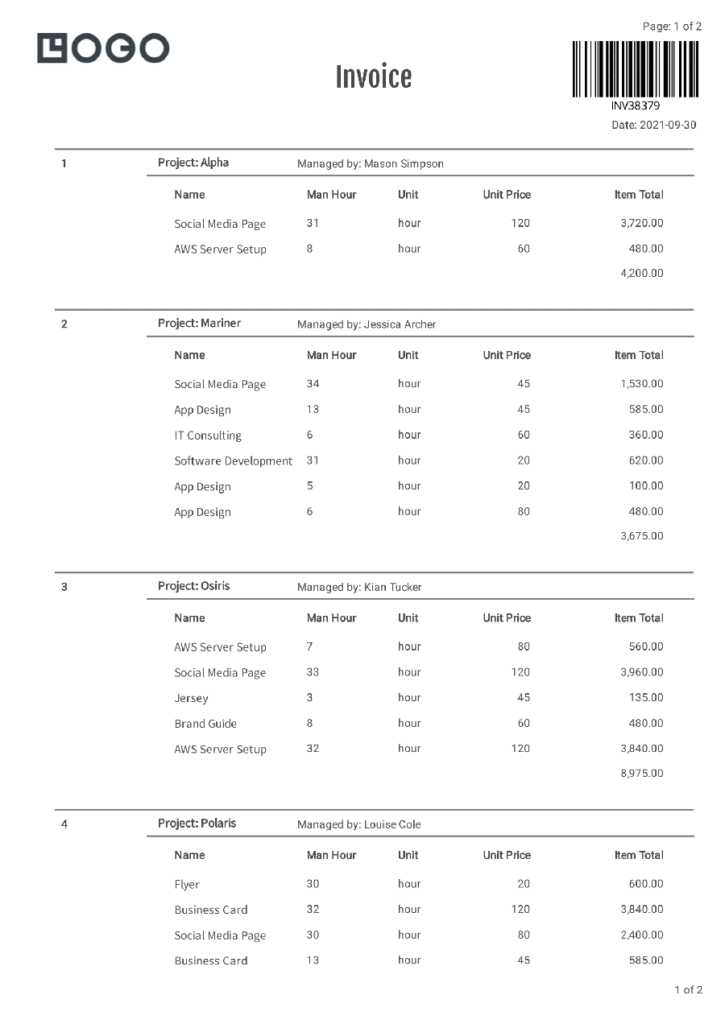
You can create PDF documents easily such as invoices, reports, delivery notes that reflect your brand.
If you are still converting HTML code to PDFs and looking for an easy way to create PDF documents – Our PDF template editor does not require HTML or CSS knowledge.
Support of Expressions & Advanced Formatting
Wrap a line of JavaScript in {{ }} and put it in any text field — it runs when the PDF is generated.
- Format numbers, currencies, and dates
- Calculate totals and apply conditional logic
- Use built-in
Math,String, andArraymethods - Add your own JavaScript functions
Turn PDFs into API-Fillable Forms with AI
AI and vision automatically scan your PDFs and documents to detect fields, identify the type of data each field expects, and generate clear, readable labels for easier mapping.
Just upload your existing forms, whether it is an application, loan form, or other document, and the system can analyze and prepare them in seconds.
The result is a static file transformed into a structured, fillable, API-ready document with much less manual effort.
Fillable PDF Components
Our PDF template editor lets you create fillable PDF forms. We support components such as
- Text field
- Dropdown
- Option list
- Checkbox
- Radio button
- Signature field
Other Features
-
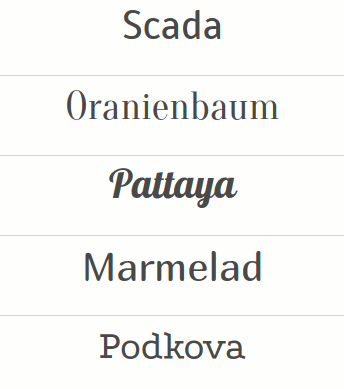
Quality Fonts at Your Disposal
CraftMyPDF has high-quality fonts you can utilize, made even more powerful by our font selector that allows you to instantly view, select, and use hundreds of fonts for your reports or PDFs.
-
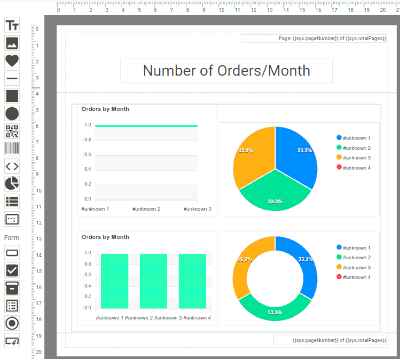
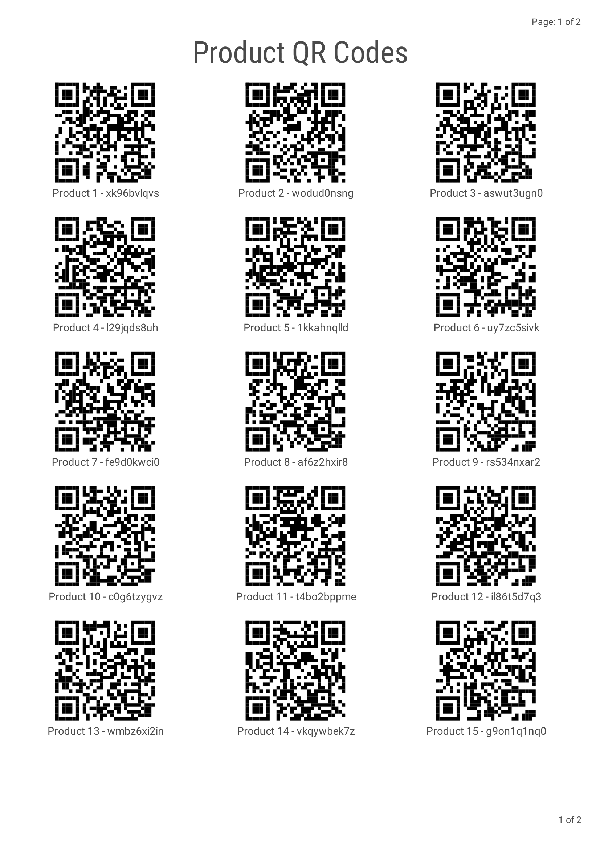
Supports Charts, QRCodes etc
If you‘re looking to add some visual flair to your PDF documents, our chart components can help you out. We support all the major chart types, including bar, line, area, pie, donut, and more.
-
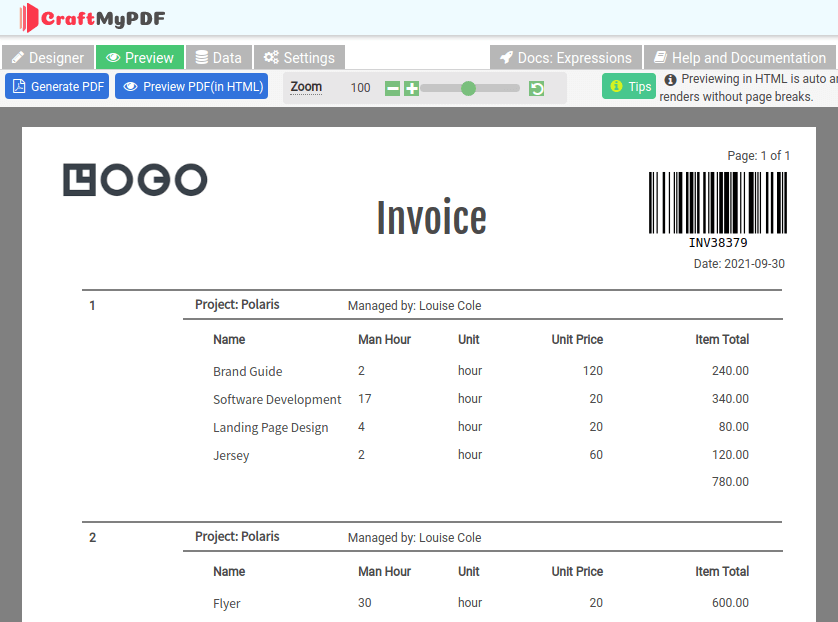
Blazingly Fast Preview
Our blazingly fast Quick Preview allows you to instantly preview the PDF in HTML and customize JSON data.
Easy Integrations
Call the PDF Generation API and Image Generation API from the tools your team already runs — Zapier, Make.com, n8n, Bubble.io and more — with no glue code to maintain.
Automate your PDF workflow with no-code platforms or the REST API
One template, one JSON payload. Send data from a Zapier zap, a Make.com scenario, an n8n workflow or your own backend — every integration calls the same endpoint.
Run it synchronously for on-screen downloads or asynchronously for batches, with request data and generated files kept in your chosen region: US, EU, Singapore or Australia.
Browse all integrationscurl -X POST \
--header "Content-Type: application/json" \
--header 'X-API-KEY: 7832MjA6MTE6UjlkM3h4emxpTExzeFR0aQ=' \
--data '{"template_id": "05f77b2b18ad809a", "export_type":"json", "expiration": 10, "output_file":"my_new.pdf", "data": "{ \"invoice_number\": \"INV38379\", \"date\": \"2021-09-30\", \"currency\": \"USD\", \"total_amount\": 82542.56 }", "output_file": "output.pdf"}' \
"https://api.craftmypdf.com/v1/create"const res = await fetch("https://api.craftmypdf.com/v1/create", {
method: "POST",
headers: {
"Content-Type": "application/json",
"X-API-KEY": "7832MjA6MTE6UjlkM3h4emxpTExzeFR0aQ=",
},
body: JSON.stringify({
template_id: "05f77b2b18ad809a",
export_type: "json",
expiration: 10,
output_file: "output.pdf",
data: { invoice_number: "INV38379", date: "2021-09-30", currency: "USD", total_amount: 82542.56 },
}),
});
const { file } = await res.json(); // URL of the generated PDFimport requests
res = requests.post(
"https://api.craftmypdf.com/v1/create",
headers={
"Content-Type": "application/json",
"X-API-KEY": "7832MjA6MTE6UjlkM3h4emxpTExzeFR0aQ=",
},
json={
"template_id": "05f77b2b18ad809a",
"export_type": "json",
"expiration": 10,
"output_file": "output.pdf",
"data": {"invoice_number": "INV38379", "date": "2021-09-30", "currency": "USD", "total_amount": 82542.56},
},
)
print(res.json()["file"]) # URL of the generated PDFNative integrations, plus a REST API for everything else.









Generate Professional PDFs for Recurring Business Workflows
CraftMyPDF helps you design reusable PDF templates and generate polished documents from JSON data using API, Make, or Zapier.
- Contracts
- PDF Reports
- Sales Reports
- Invoices
- Packing Slips
- Label Sheets
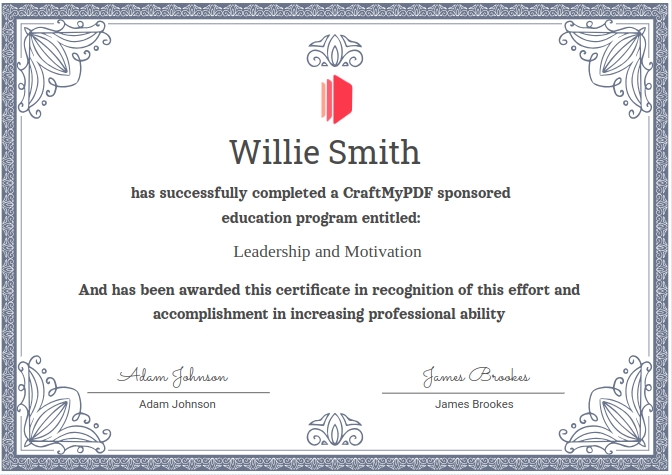
- Certificates
- Agreements
- Purchase Orders
- Delivery Notes
- Payslips
- Coupons
- Credit Notes
- Dispatch Labels
- Shipping Labels
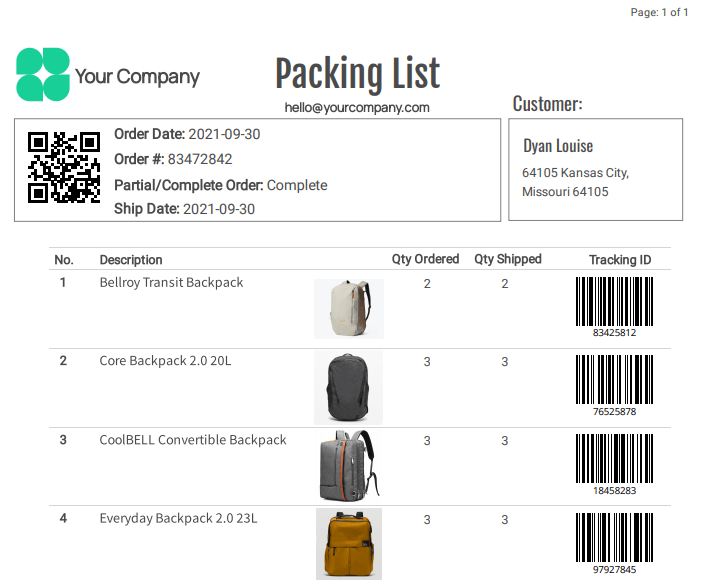
Numbers Worth Checking Before You Build On Us
Millions of PDFs have been generated with CraftMyPDF. Trusted by developers and businesses around the world, our platform helps teams create high-quality documents faster and more efficiently.
25M+
PDFs generated
Documents rendered from reusable templates for developers, agencies and businesses in every timezone.
- Availability commitment
- 99.9%
- Written into our SLA, with monthly uptime published on a public status page. Read the SLA
- Regional API endpoints
- 4
- Render in the US, Europe, Singapore or Australia — latency and data both stay close to home. Regional endpoints
- Ways to connect
- 10
- Zapier, Make, n8n, Bubble.io, HubSpot and more — or call the REST API from your own code. All integrations
Higher volumes
Generating more than the published plans cover?
We can talk through volume pricing, a signed SLA, the region your documents render in, and pointing output at your own S3 or R2 bucket.
Image & PDF Generation APIs in One Place
Besides PDF documents, CraftMyPDF offers an image generation API for you to generate images(JPEG/PNG)
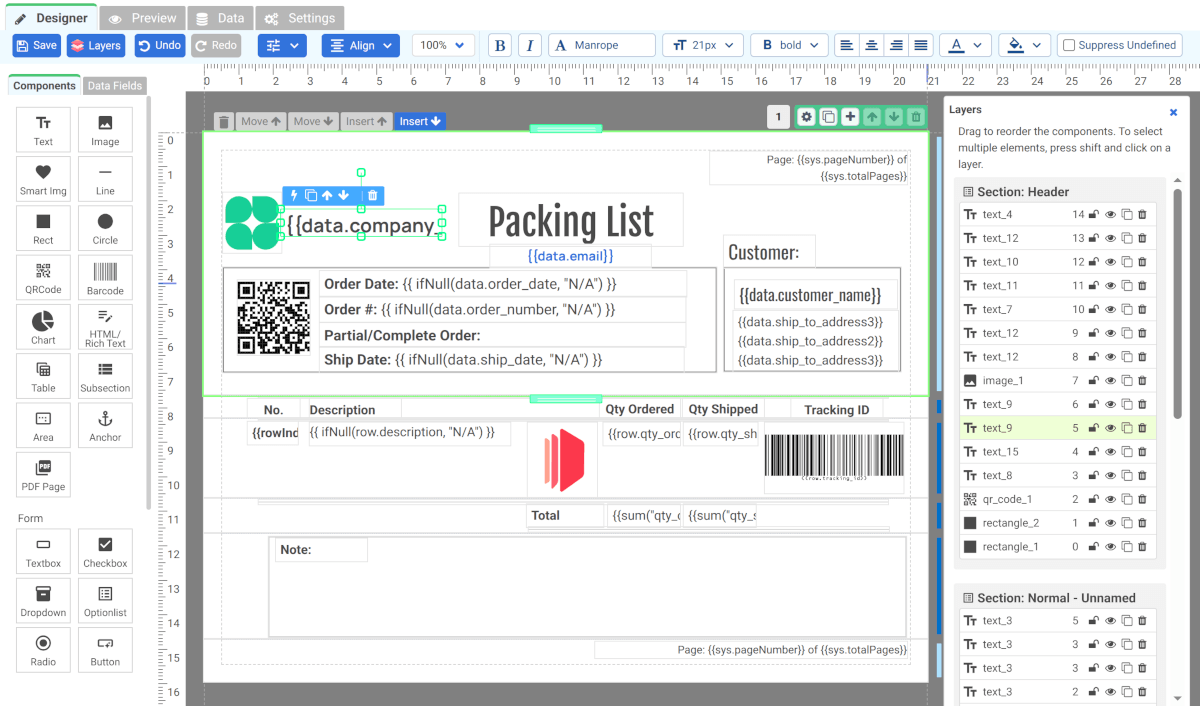
Sample Templates and CraftMyPDF's Template Editor
Click on the Launch Editor button to see CraftMyPDF’s template editor in action
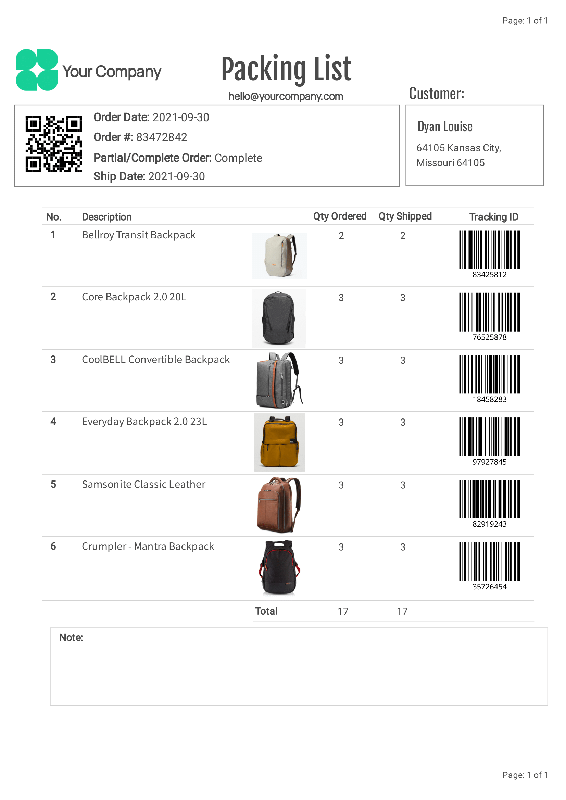


Customer Reviews
See what our customers have to say about us
-
 Derrick Hayworth Owner ★★★★★
Delivuh.com
I'm beyond amazed at the capabilities of CraftMyPDF and even more so with the staff. Very prompt with support and beyond helpful. They've helped me with certain capabilities that help to automate key aspects of my business which in turn will help me grow.
-
 Albert Brückmann Founder ★★★★★
After exploring many options, we chose CraftMyPDF for its unmatched flexibility and integration ease. What truly stands out is the exceptional support from Jacky, whose dedication and customer care greatly impressed us. He played a key role in adapting the software for a German interface and custom features, offering value we rarely see. Additionally, its affordable pricing allows for scalable growth. CraftMyPDF stands as a top software investment for us, enhancing our ability to capture life stories in books with beautiful covers.
-
 Vincent Buccarello Co-founder ★★★★★
Solariooz.de
We've been using CraftMyPDF for a while now, and it's been a brilliant choice. The platform's user-friendly nature allowed us to get started immediately, bypassing the complexities and time consumption of developing our own templates and integrating with a PDF generation library. The time savings are huge for us, cutting down about 5 minutes per document. Additionally, their exceptional and quick support stands out, always ready to assist.
-
 Mirco Manara Project Manager ★★★★★
We absolutely love CraftMyPDF! The editor is easy to use and extremely versatile - we were able to customize it to fit our specific needs. The support is top-notch. They were able to help us solve many problems and were also willing to implement new solutions to improve the functionality of the tool and meet our needs. I would highly recommend this software to anyone!
-
 FG Laroze Project Manager ★★★★★
CraftMyPDF made creating professional PDFs incredibly simple! The drag-and-drop interface allows easy template design without coding, though you can still use CSS or JS if needed. The API integration is fantastic, letting me connect CraftMyPDF to other apps for automatic data filling. It saves so much time and eliminates manual entry! 🙌 Their support is excellent—Jacky was super helpful and patient in setting everything up. If you’re looking for customizable PDF generation, CraftMyPDF is a must-try!
-
 Sherif ★★★★★
Plntd.ae - Indoor Plants in UAE
Craftmypdf is a fantastic piece of software! It saves us a lot of time, as we're able to automatically generate invoices, receipts, order lists, etc. The customer support is also excellent; The founder was able to get on a zoom call with us and help us navigate the software, recommend a solution for what we were looking to do 5/5 would highly recommend!
-
 Kampol CEO ★★★★★
We've been using CraftMyPDF for a while now, and we couldn't be more pleased with the results. The platform is incredibly user-friendly, making it easy to integrate into our solutions. Their team is responsive and quick to address our requests, which has been invaluable in saving us considerable development time. We highly recommend CraftMyPDF to anyone looking for an efficient, reliable solution!
-
 Martijn Crajé Founder ★★★★★
Thanks to CraftmyPDF SlimPensioneren is capable of sending thousands of PDF's to all of our clients effortlessly and within seconds. The platform is easy to work with,very reliable and contains all the functionalities which you should expect. The support is remarkable and personal with Zoom calls whenever issues require further clarification to get resolved. We highly recommend CraftmyPDF and give it a 5 star rating.
-
 Iskender Emre Gül Civil Engineer ★★★★★
I found CraftMyPDF to be extremely user-friendly. The template editor is very straightforward and easy to navigate. I had a few questions while I was using the services and the support was responsive and very helpful. Overall, I was very pleased with my experience using CraftMyPDF.
-
 E. Martin Founder ★★★★★
The tools from CraftMyPDF are extensive and feature complete, making my day easier and my product more accessible in the marketplace. I'm really impressed with the support I've received from this company. They are quick to respond and actually answer the question I asked.
-
 Victor N CTO ★★★★★
Ottho.fr
CraftMyPDF is a perfect tool to plug into our other no-code tools. It's easy to use and provide good results. The main takeaway for us was the support, cheerful, fast, and dedicated. Really makes a difference. Thanks!
Start generating PDFs in minutes
Design templates in your browser and generate pixel-perfect PDFs through a simple REST API or your favourite no-code platform.
Free plan includes 50 PDFs per month. No credit card required.