Free Online QRCode Generator (with Custom Logo)
Welcome to CraftMyPDF’s Free Online QR Code Generator!
You can generate a personalized QR code with our tool that links directly to your LinkedIn profile! Add it to your resume or CV and make it easier for recruiters to connect with you on LinkedIn.
Interested in an Instagram QR code? We’ve got you covered!
Looking for a custom logo on your QR code? We support that too!
Best of all, no registration required: start creating right away!
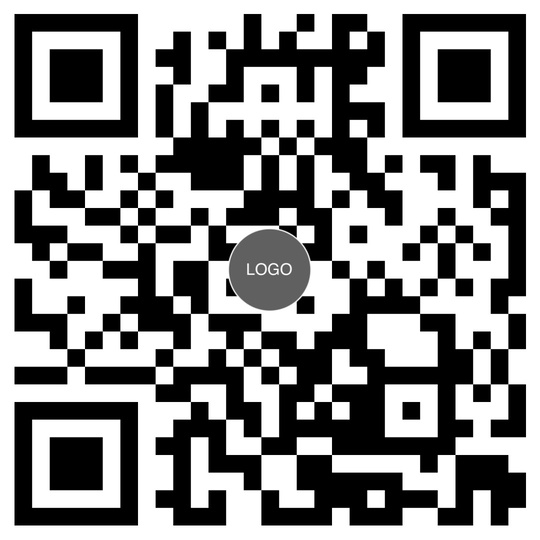
How to Create QRCode with Custom Logo Online For Free?
To start with, select the type of QRCode you want to generate. We support custom logo QRCode,
Linkedin logo QRCode and Instagram QRCode.
Then, enter "URL or Content", upload a logo to be displayed in the middle of the QRCode and click
on the button Generate to
create an invoice. Once an invoice is generated, click on Download Image to download
the generated QRCode.
Step 1. Enter your QRCode details
Accept PNG, JPEG or SVG
Step 2. Generate your QRCode
*Generate up to 10 QRCodes within 24 hours without registration
Custom Logo QRCode Generator FAQs
Questions about generating QR codes
1. What can I put in the middle of the QR code?
Your own logo, uploaded as a PNG or JPEG, or one of the ready-made choices — a LinkedIn or an Instagram mark. Square or near-square artwork with a transparent or white background works best.
2. Will a logo stop the QR code from scanning?
No. QR codes carry error correction, so a logo covering the centre still scans reliably. Keep the logo modest in size and the contrast strong, then test the finished code with a phone before you print it.
3. Which QR code types are supported?
A custom logo code, a LinkedIn code and an Instagram code. Point the LinkedIn variant at your profile URL and it becomes a scannable card for a resume, a CV or an event badge.
4. What format is the generated QR code?
An image file, ready to drop into a resume, a slide, a social post or a web page. If you need a print-ready PDF instead, use our PDF QR code generator.
5. Do I need to register or install anything?
Neither. The generator runs in your browser with no account, up to ten QR codes in 24 hours. Sign up only when you need more, want to save a template or want to automate generation.
6. Can I change the colors or the size?
Yes. Open the template in our drag-and-drop editor to set colors, size, background and any surrounding artwork. Keep the code darker than its background so scanners still read it.
7. Can I generate branded QR codes in bulk or from my app?
Yes. Our REST API generates one per record, Bulk PDF Generator handles a CSV, and the Zapier, Make.com, N8n and Bubble integrations cover no-code workflows — useful for per-attendee or per-product codes.
8. Is the custom logo QR code generator free?
Yes, and no credit card is required to try it. Paid plans add higher volumes, saved templates and API access.
Automate QR Codes with No-Code or API
CraftMyPDF offers you the best free QRCode generator that lets you offer an advanced No-code tool and API support to create customized QR codes quickly.
With No-code such as Zapier or Make.com and API support, you can connect your Google Drive and Typeform with this tool and set up quick automation using Make.com.
Want to Personalize or Automate QR Codes Generation?
Building this into your own product? The same templates are available through our APIs, so your app or workflow can generate QR codes on demand from its own data.
Easy to Use Drag-and-Drop Template Editor
Create attractive-looking PDF QR codes with our drag-and-drop template editor. Add your organization’s logo, change color, and fonts to make it more personalized.
You can quickly add additional details that you need, and you are good to go with your QR code template!

- Drag and drop – Our advanced editor allows you to easily create new PDFs by dragging and dropping the elements into your PDF templates.
- Support of expressions – An expression is any valid set of variables, operators, and expressions that evaluates to a single value.
- Support advanced formatting – Our template editor supports advanced formatting. You can easily format number, currency and date time with CraftMyPDF’s expressions.
- Quality fonts at your disposal – We have hundreds of quality fonts at your fingertips.
- Fast preview of the layout – Our blazingly fast Quick Preview allows you to instantly preview the PDF in HTML and customize JSON data.
Want to Import Existing PDF Files as Templates? Get Started Now!
If you have an existing PDF QR code template or a template created with Canva and want to import and overlay additional information such as names and serial numbers, you might find following tutorials useful:
-
How to Create Dynamic PDFs or Images from Canva’s Designs
Export a Canva design, import it as a template background, and overlay the fields that change per recipient.
-
How to Dynamically Add Text, Images, and QR Codes to Existing PDF Documents
Keep a PDF you already have and stamp names, serial numbers, logos and QR codes onto it from your data.
Features of CraftMyPDF
CraftMyPDF powers automated document workflows for teams that need fast, reliable, and scalable PDF generation.
-
Easy to Use Drag-and-Drop Template Editor
Design professional PDF templates visually with our easy-to-use editor. Add text, images, QR codes, barcodes, shapes, tables, charts, and more.
more -
Turn Existing PDFs into Fillable Templates
AI and computer vision detect fields in your existing PDFs, identify the expected data type, and generate clear labels for easier mapping and automation.
Video tutorial -
Powerful Expressions & Formatting Support
Format dates, currencies, numbers, and text with built-in expressions. Need more advanced logic? Extend your templates with custom JavaScript functions.
more -
Generate PDF Documents Within Your Region
Generate and store PDFs closer to your users with regional endpoints. Available in the US, EU, Singapore, and Australia to support data residency and lower latency.
more -
PDF Generation & Image Generation API
Our cloud-based API helps you to generate PDF documents or images. We support synchronously or asynchronously PDF generation scale without the costs of maintenance.
API Reference -
Automate with Nocode or Lowcode Platforms
Automate document workflows with Zapier, Make, Bubble, Coda, and REST API integrations. Connect CraftMyPDF to the tools your team already uses.
more -
Support of Fillable Components
Create interactive PDF forms with fillable components in the drag-and-drop editor. Add text fields, checkboxes, dropdowns, radio buttons, and signature fields with ease.
more -
Built with Security in Mind
CraftMyPDF has successfully completed its SOC 2 Type II audit to support teams that need stronger security, reliability, and operational trust.
Enterprise features
Easy Integrations
Call the PDF Generation API and Image Generation API from the tools your team already runs — Zapier, Make.com, n8n, Bubble.io and more — with no glue code to maintain.
Automate your PDF workflow with no-code platforms or the REST API
One template, one JSON payload. Send data from a Zapier zap, a Make.com scenario, an n8n workflow or your own backend — every integration calls the same endpoint.
Run it synchronously for on-screen downloads or asynchronously for batches, with request data and generated files kept in your chosen region: US, EU, Singapore or Australia.
Browse all integrationscurl -X POST \
--header "Content-Type: application/json" \
--header 'X-API-KEY: 7832MjA6MTE6UjlkM3h4emxpTExzeFR0aQ=' \
--data '{"template_id": "05f77b2b18ad809a", "export_type":"json", "expiration": 10, "output_file":"my_new.pdf", "data": "{ \"invoice_number\": \"INV38379\", \"date\": \"2021-09-30\", \"currency\": \"USD\", \"total_amount\": 82542.56 }", "output_file": "output.pdf"}' \
"https://api.craftmypdf.com/v1/create"const res = await fetch("https://api.craftmypdf.com/v1/create", {
method: "POST",
headers: {
"Content-Type": "application/json",
"X-API-KEY": "7832MjA6MTE6UjlkM3h4emxpTExzeFR0aQ=",
},
body: JSON.stringify({
template_id: "05f77b2b18ad809a",
export_type: "json",
expiration: 10,
output_file: "output.pdf",
data: { invoice_number: "INV38379", date: "2021-09-30", currency: "USD", total_amount: 82542.56 },
}),
});
const { file } = await res.json(); // URL of the generated PDFimport requests
res = requests.post(
"https://api.craftmypdf.com/v1/create",
headers={
"Content-Type": "application/json",
"X-API-KEY": "7832MjA6MTE6UjlkM3h4emxpTExzeFR0aQ=",
},
json={
"template_id": "05f77b2b18ad809a",
"export_type": "json",
"expiration": 10,
"output_file": "output.pdf",
"data": {"invoice_number": "INV38379", "date": "2021-09-30", "currency": "USD", "total_amount": 82542.56},
},
)
print(res.json()["file"]) # URL of the generated PDFNative integrations, plus a REST API for everything else.







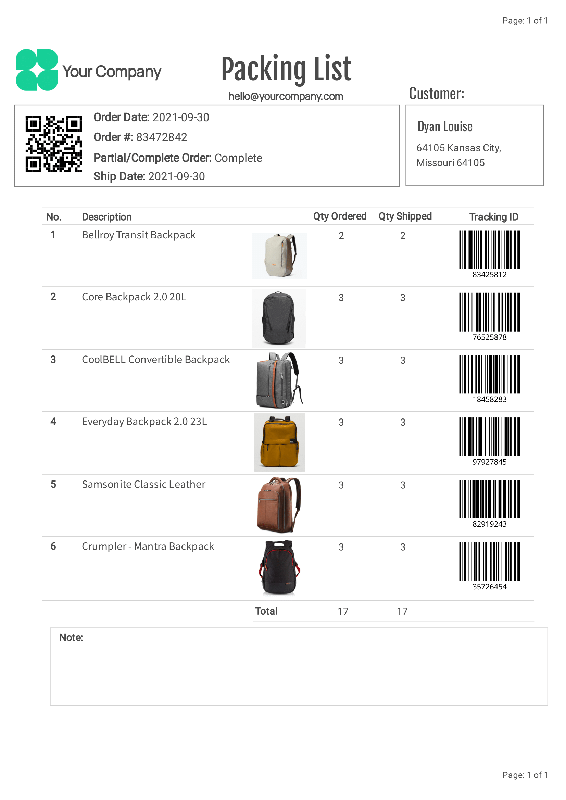
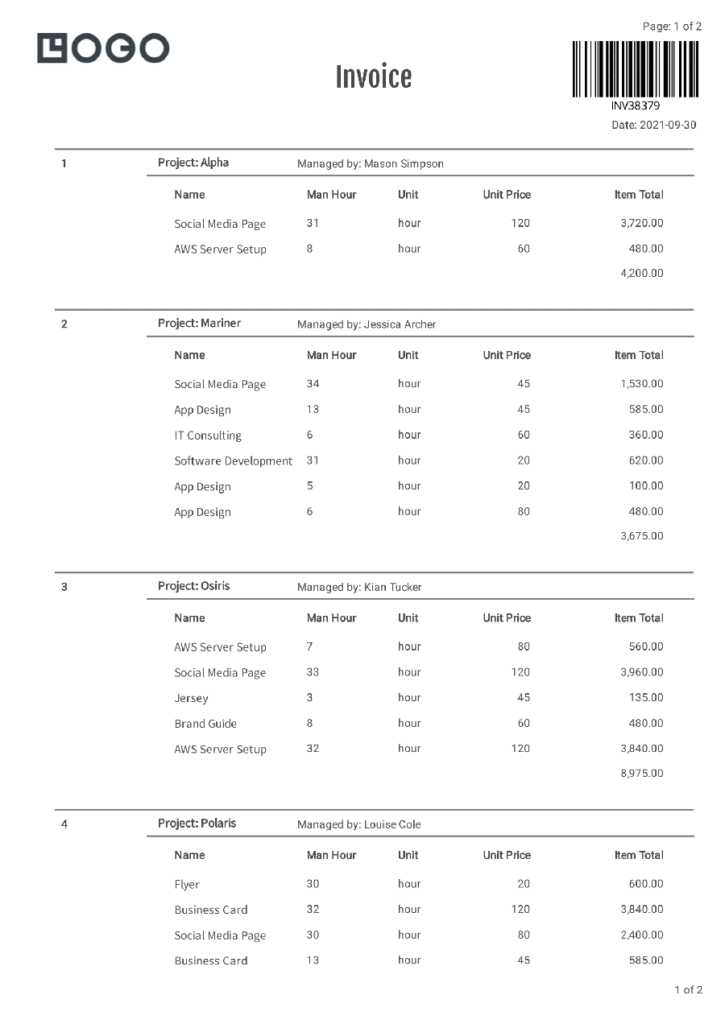
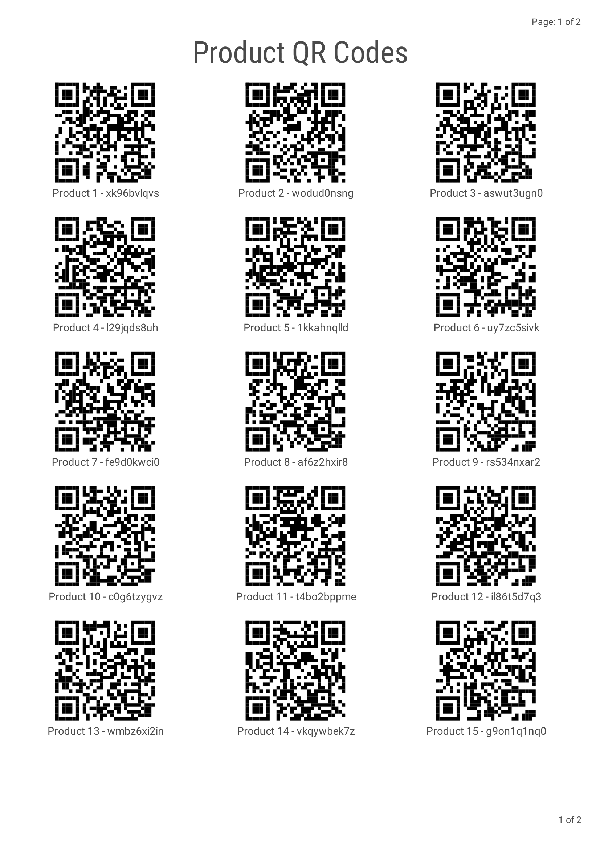
Sample Templates and CraftMyPDF's Template Editor
Click on the Launch Editor button to see CraftMyPDF’s template editor in action



Other tools
More free tools from CraftMyPDF.
-

Free Online Certificate Maker
Our tool lets you quickly pick a template, edit the details, and prepare a printable certificate in no time. Making a certificate is quick and easy in only three steps -

Free Online Event Badge Maker
Whether you’re hosting a small seminar or a large conference, our tool is designed to make badge creation effortless and efficient. -

Free Event Ticket Generator
Whether you’re organizing a music festival or business conference, our user-friendly platform provides a variety of professionally designed templates that can be tailored to your unique brand and style. -
Free Online Invoice Generator
To create professional invoices online for free with CraftMyPDF, simply upload your logo, and fill in your company information, bill-to information, and line items. -
Free Online Receipt Maker
Stand out with receipts that carry your unique branding. Upload your logo, define your business address and terms, fill in customer details and items, and customize notes and tax rates. -
Free Online Shipping Label Maker
Easily generate professional-looking shipping labels with our intuitive interface, customizable templates, and instant download. -
Free Online Address Label Maker
Create custom address labels effortlessly with our Free Online Address Label Maker! Ideal for personal use, business correspondence, or bulk mailing. -
Bulk PDF Generator
Turn your spreadsheets into professional PDFs in bulk. Create a template with CraftMyPDF, upload a CSV file and generate hundreds of personalized documents in minutes.
Start generating PDFs in minutes
Design templates in your browser and generate pixel-perfect PDFs through a simple REST API or your favourite no-code platform.
*No Credit-card Required!