
Introduction
In 2026, PDF generation APIs are still a foundational building block for many businesses. From invoices, receipts, certificates, and contracts to financial statements, reports, and internal documents, PDFs remain the most widely accepted, portable, and audit‑friendly document format.

While browsers and SaaS tools have evolved, server‑side, API‑driven PDF generation is still the standard when documents must be:
- Generated automatically
- Branded and consistent
- Stored, emailed, or archived
- Integrated into SaaS products or internal systems
Today’s PDF APIs fall into three broad categories:
- Template‑first APIs – design once, inject JSON data, generate repeatedly
- HTML‑to‑PDF APIs – render HTML/CSS (sometimes JS) into PDFs
- PDF platforms – generation plus conversion, extraction, and editing
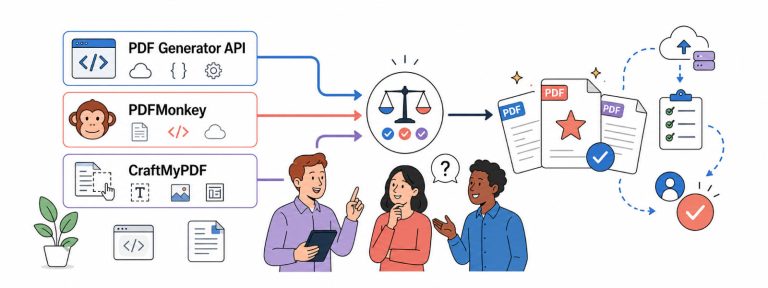
This article covers the 6 best PDF generation APIs in 2026, with real‑world positioning, pricing, strengths, weaknesses, and guidance on when to use each.
How We Compare PDF Generation APIs
Each product is evaluated across the following dimensions:
- Document authoring workflow (drag‑and‑drop vs HTML)
- Rendering reliability (page breaks, tables, fonts, pagination)
- API developer experience (REST, async jobs, webhooks)
- Automation & integrations (Zapier, Make, Bubble, n8n)
- Pricing transparency & scalability
- Operational & enterprise readiness
The 6 Best PDF Generation APIs in 2026
- APITemplate.io
- CraftMyPDF
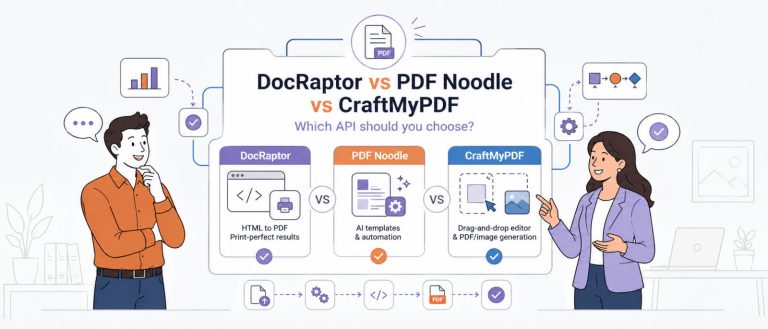
- DocRaptor
- PDFMonkey
- PDF Generator API
- PDF.co
1. APITemplate.io: Best for HTML to PDF Generation

Overview
APITemplate.io is positioned as a flexible rendering service rather than a strictly opinionated document system. It allows teams to generate PDFs and images using either a visual editor or raw HTML/URL rendering, which makes it appealing to developers who want optional control without committing fully to one paradigm.
Compared to CraftMyPDF’s strongly template-first approach, APITemplate.io optimizes for breadth of output formats and developer familiarity.
Authoring & Workflow
APITemplate.io supports three main workflows:
- Visual editor for templates
- HTML-to-PDF rendering
- URL-to-PDF rendering
This flexibility is useful when teams:
- Already maintain HTML templates
- Need to capture existing web pages
- Want to reuse frontend layouts for documents
However, flexibility also means that layout consistency and long-term maintenance discipline fall more heavily on the implementation team.
Pricing
APITemplate.io uses a quota-based subscription model. Usage is counted as PDFs and/or images generated per month, depending on plan.
Image + PDF plans
| Plan | Price | Included |
|---|---|---|
| Free | $0 / month | 50 images/PDFs |
| Starter | $35 / month | 1,500 images/PDFs |
| Standard | $89 / month | 9,000 images/PDFs |
| Enterprise | $179 / month | 20,000 images/PDFs |
PDF-only plans
| Plan | Price (billed annually) | Price (billed monthly) | Included |
|---|---|---|---|
| PDF Basic | $19 / month | $24 / month | 3,000 PDFs |
| PDF Standard | $69 / month | $89 / month | 12,000 PDFs |
| PDF Enterprise | $139 / month | – | 25,000 PDFs |
APITemplate also explicitly advertises PDF-only plans starting at $19/month, which can be appealing for PDF-only workloads.
Strengths
- Supports both PDFs and images in one API
- Familiar HTML-based workflows
- Easy onboarding for frontend engineers
Trade-offs
- HTML-based documents still incur layout debt over time
- Visual editor is less strict than template-first systems
Best Fit
APITemplate.io is a strong choice when you need multi-format output and want to keep HTML as a first-class input.
2. CraftMyPDF: Best Template‑First PDF Generation API
Overview
CraftMyPDF represents a different philosophy in PDF generation compared to traditional HTML‑to‑PDF tools.
Instead of treating PDFs as a rendered by‑product of HTML, CraftMyPDF treats documents as first‑class assets. Templates are designed visually, versioned explicitly, and reused across workflows – much closer to how businesses actually think about invoices, reports, and certificates.
This approach aligns especially well with modern SaaS teams where:
- Engineers are already stretched thin
- Non‑technical team members need autonomy
- Documents change frequently, but structure does not
Over time, this distinction becomes less about convenience and more about operational leverage.
Document Authoring Experience
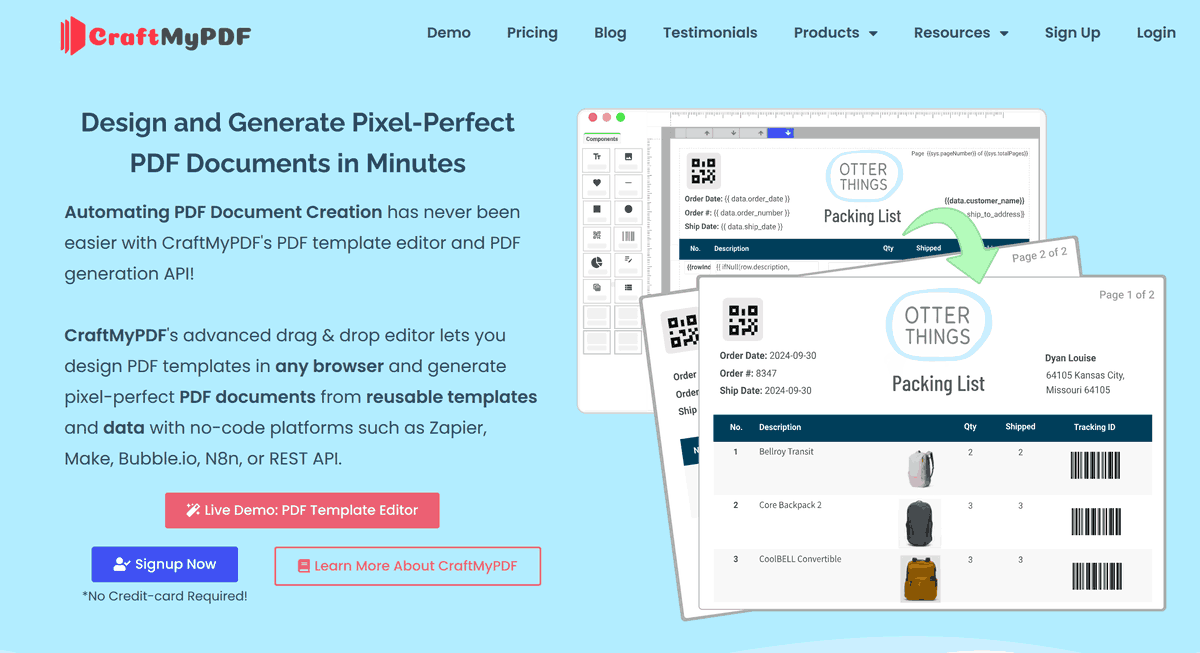
The drag‑and‑drop editor is CraftMyPDF’s defining feature. It allows teams to:
- Position elements precisely without CSS hacks
- Define repeating sections for tables and lists
- Bind JSON data predictably
- Control pagination intentionally, not accidentally
Unlike HTML‑based pipelines – where page breaks, table overflow, and font rendering are often solved via trial and error – CraftMyPDF’s editor enforces layout rules that naturally map to PDF constraints.
This dramatically reduces:
- Fragile layout bugs
- Regression issues when data volume grows
- The need for engineers to “fix PDFs” after deployment
API & Automation Workflow
From an API perspective, CraftMyPDF is deliberately simple:
- Create and version templates in the UI
- Reference template IDs in API calls
- Send structured JSON data
- Receive generated PDFs synchronously or via webhook
This separation of layout (template) and data (API payload) is what makes CraftMyPDF scale well over time.
It also explains why CraftMyPDF integrates deeply with no‑code and low‑code platforms such as Zapier, Make, Bubble, and n8n – the same tools non‑technical teams already use for automation.
Pricing
CraftMyPDF uses a quota-based pricing model, where 1 credit ≈ 1 PDF or image generation. This makes cost per document explicit and easy to forecast.
Creator plans (annual)
| Plan | Price | Included |
|---|---|---|
| Free | $0 | 50 PDFs / Images |
| Lite | $290 / year | 1,200 PDFs / Images |
| Basic | $490 / year | 3,000 PDFs / Images |
| Standard | $990 / year | 12,000 PDFs / Images |
Enterprise & Whitelabel plans
Monthly billing:
| Plan | Price | Included |
|---|---|---|
| Premium | $299 / month | 40,000 PDFs / Images |
| Business | $499 / month | 150,000 PDFs / Images |
| Enterprise | $799 / month | 300,000 PDFs / Images |
Annual billing (discounted):
| Plan | Price |
|---|---|
| Premium | $2,990 / year |
| Business | $4,990 / year |
| Enterprise | $7,990 / year |
This structure works particularly well for SaaS products where each PDF maps directly to a revenue or usage event.
When CraftMyPDF Is the Right Choice
CraftMyPDF tends to win when:
- PDFs are customer‑facing
- Design consistency matters
- Templates are reused at scale
- Document changes should not require code changes
It is especially compelling for teams who have already felt the pain of maintaining HTML‑to‑PDF pipelines for more than a year.
3. DocRaptor: Best HTML-to-PDF Fidelity

Overview
DocRaptor is widely recognized for its print-quality HTML-to-PDF rendering, powered by the Prince engine. It is often chosen when PDF output must adhere closely to publishing or compliance standards.
Unlike template-first tools, DocRaptor makes no attempt to abstract away HTML. Instead, it assumes teams want maximum control, even at the cost of higher implementation complexity. This extends to the nonprofit sector as well, where organizations using platforms like Donorbox rely on the same PDF generation infrastructure to automate donor receipts, issue tax-compliant acknowledgment letters, and maintain contribution records at scale.
Rendering Philosophy
DocRaptor treats PDFs as an extension of print workflows:
- Explicit page control
- Print-oriented CSS properties
- Precise typography
This is particularly valuable for:
- Financial statements
- Legal documents
- Long-form reports
Pricing
DocRaptor uses a document-quota pricing model with optional overage billing.
Monthly plans
| Plan | Price | Included | Notes |
|---|---|---|---|
| Free | $0 / month | 5 documents | Watermarked |
| Basic | $15 / month | 125 documents | – |
| Professional | $29 / month | 325 documents | – |
| Premium | $75 / month | 1,250 documents | – |
| Max | $149 / month | 5,000 documents | – |
| Bronze | $399 / month | 15,000 documents | – |
| Silver | $1,000 / month | 40,000 documents | – |
| Enterprise | Custom pricing | – | – |
Overage rates (approximate)
| Plan | Overage (approx.) |
|---|---|
| Basic | $0.12 / document |
| Professional | $0.09 / document |
| Premium | $0.06 / document |
| Max | $0.03 / document |
DocRaptor’s pricing reflects its positioning as print-grade infrastructure rather than a simple developer utility.
Strengths
- Excellent fidelity and predictability
- Strong reputation in regulated industries
Trade-offs
- High HTML/CSS skill requirement
- Slower iteration on layout changes
- Engineers remain tightly coupled to document maintenance
Best Fit
DocRaptor is ideal when regulatory confidence and layout precision outweigh speed and flexibility.
If you want to learn more, check out our CraftMyPDF vs. DocRaptor comparison.
4. PDFMonkey: Simple HTML‑Driven PDF Generation

Overview
PDFMonkey is designed around the idea that PDF generation should be simple and transparent. It offers a minimal layer over HTML templates, focusing on predictable behavior rather than broad platform features.
This makes PDFMonkey appealing to smaller teams or side projects that want to avoid heavy tooling.
Workflow
- Upload and manage HTML templates
- Inject JSON data
- Generate PDFs via REST API
The mental model is straightforward and easy to debug.
Pricing
PDFMonkey uses a documents-per-month quota model, with optional top-ups.
Plans & quotas
| Plan | Docs / month | Retention | Collaborators | Notes |
|---|---|---|---|---|
| Free | 20 | 1-day | – | – |
| Starter | 300 | 1-day | – | – |
| Pro | 3,000 | 7-day | +1 collaborator | – |
| Pro+ | 5,000 | Unlimited | Unlimited | – |
| Premium | 60,000 | Unlimited | – | – |
Pricing notes
| Item | Price |
|---|---|
| Official announcement (Pro) | ≈ €15 / month |
| Official announcement (Premium) | ≈ €300 / month |
| Boost packs | 1,000 documents for €5 |
PDFMonkey is attractive when you want low entry cost with optional burst capacity.
Strengths
- Lightweight and developer-friendly
- Clear HTML-based mental model
Trade-offs
- No visual editor
- Layout maintenance remains manual
- Fewer enterprise controls
Best Fit
PDFMonkey is well-suited for simple use cases where speed and cost matter more than long-term maintainability.
Learn why CraftMyPDF is a better alternative to PDFMonkey.
5. PDF Generator API: Business Document Automation

Overview
PDF Generator API positions itself between developer tools and business automation platforms. It emphasizes document workflows, rather than isolated generation calls.
This orientation appeals to organizations where document creation is embedded in multi-step processes.
Workflow Orientation
Key features often revolve around:
- Structured templates
- Batch generation
- Trigger-based document creation
The platform feels more like a document engine than a rendering utility.
Pricing
PDF Generator API uses a credit-based annual subscription model.
Public yearly plans
| Plan | Price | Credits / month | Rate limit |
|---|---|---|---|
| Low Usage | $290 / year | – | – |
| Starter | $590 / year | 2,500 | 60 req/min |
| Basic | $990 / year | 10,000 | 60 req/min |
| Premium | $3,990 / year | 100,000 | 120 req/min |
| Enterprise | $6,990 / year | 500,000 | 240 req/min |
How credits are calculated
- 1 credit = up to 5 pages
- Pages are rounded up to the nearest 5-page block
- Watermarked test documents can be generated without consuming credits
This pricing favors long, multi-page documents rather than many short PDFs.
Strengths
- Good abstraction for structured workflows
- Enterprise-friendly positioning
Trade-offs
- Heavier UI and concepts
- Less flexible for rapid experimentation
Best Fit
PDF Generator API works best when document automation is tightly coupled to business processes.
6. PDF.co: All‑in‑One PDF Platform

Overview
PDF.co takes a fundamentally different approach: it is a general-purpose PDF automation platform rather than a focused generation tool.
For teams dealing with PDFs across many stages – creation, parsing, transformation, and storage – this breadth can be valuable.
Feature Breadth
Beyond generation, PDF.co supports:
- Extracting data from PDFs
- Converting formats
- Merging and splitting documents
- Editing and watermarking
Pricing
PDF.co uses a credits-based subscription model, where API usage consumes credits.
Monthly plans
| Plan | Price | Credits | Approx. pages |
|---|---|---|---|
| Basic | $9.99 / month | 16,500 | ~8,250 |
| Personal | $24.99 / month | 37,000 | ~18,500 |
| Business 1 | $49.99 / month | 80,500 | ~40,250 |
| Business 2 | $99.99 / month | 159,850 | ~79,925 |
| Business 3 | $299.99 / month | 483,000 | ~241,500 |
Credit mechanics
| Operation | Credit usage |
|---|---|
| HTML-to-PDF | ~9 credits per page |
| Other endpoints | Varies by endpoint |
PDF.co’s pricing makes sense when many PDF operations are bundled under one API.
Strengths
- Extremely comprehensive
- Suitable for complex PDF pipelines
Trade-offs
- Generation experience is less opinionated
- Overkill for simple document use cases
Best Fit
PDF.co is best when PDF generation is just one node in a larger document-processing pipeline.
Comparison Table
The table below summarizes the key differences between the six PDF generation APIs at a glance. It is meant as a quick orientation tool rather than a full evaluation.
If you already know your preferred workflow style (template-first vs HTML-first vs platform-style), this table can help you narrow the list quickly before diving deeper into the individual sections.
| API | Editor | HTML‑to‑PDF | Integrations | Pricing Model | Best For |
|---|---|---|---|---|---|
| CraftMyPDF | Drag & drop | Yes with HTML component | Zapier, Make, Bubble, N8n, REST API | Subscription | Template‑first PDFs |
| APITemplate.io | Visual + HTML | Yes | Zapier, Make, Bubble, N8n, REST API | Subscription | HTML to PDF |
| DocRaptor | No | Yes (Prince) | API | Usage‑based | Fidelity & compliance |
| PDFMonkey | No | Yes | Make, Zapier | Subscription | Simple HTML PDFs |
| PDF Generator API | Visual | Partial | API | Subscription | Doc workflows |
| PDF.co | No | Yes | Many | Tiered | Full PDF automation |
Summary:
- If you value design control, predictability, and low long-term maintenance, CraftMyPDF stands out as the most opinionated and scalable option.
- If you need HTML flexibility or mixed PDF/image outputs, APITemplate.io and PDFMonkey are more aligned.
- If print-grade fidelity or compliance signaling is critical, DocRaptor remains a strong choice.
- If document generation is only one part of a larger PDF pipeline, PDF Generator API and PDF.co make more sense.
How to Choose the Right PDF API in 2026
- Choose CraftMyPDF if you want fast, reliable, template‑driven PDF generation with minimal engineering effort.
- Choose APITemplate.io if you need both PDF and image outputs and flexible authoring options.
- Choose DocRaptor when HTML fidelity and compliance requirements dominate.
- Choose PDFMonkey for lean HTML‑to‑PDF pipelines.
- Choose PDF Generator API for business document automation.
- Choose PDF.co if generation is just one part of your PDF workflow.
Advanced Considerations When Choosing a PDF Generation API
1. Template‑first vs HTML‑first: The Hidden Cost Curve
At first glance, HTML‑to‑PDF often seems cheaper and faster.
Most teams already have:
- HTML
- CSS
- Frontend engineers
So generating PDFs from HTML feels like an obvious choice.
However, what’s usually missed is the cost curve over time.
HTML‑first pipelines tend to accumulate complexity:
- CSS rules multiply to handle print quirks
- Edge cases appear as data grows (long names, large tables, multi‑page overflow)
- Tiny layout changes require developer involvement
- PDF bugs become production issues rather than design adjustments
In contrast, template‑first systems flatten this curve.
With tools like CraftMyPDF:
- Layout lives outside application code
- Designers and ops can make changes safely
- Engineers focus on business logic, not margins and page breaks
Over a 12‑ to 24‑month horizon, this often results in lower total ownership cost, even if the per‑PDF price appears similar.
2. Synchronous vs Asynchronous PDF Generation
At small scale, synchronous PDF generation feels simpler:
- Send request
- Receive PDF
But as volume grows, synchronous approaches often cause:
- Timeouts
- Increased infrastructure cost
- Poor user experience during spikes
Modern PDF APIs increasingly recommend:
- Asynchronous generation
- Webhook-based callbacks
- Retry and idempotency logic
CraftMyPDF, APITemplate.io, and several others explicitly support async workflows, making them better suited for:
- Batch document generation
- Scheduled jobs
- Event-driven pipelines (e.g. user signup, monthly billing)
3. Cost Modeling: Why Pricing Structure Matters More Than Price
Teams often compare PDF APIs by looking only at the headline monthly price.
In reality, pricing structure matters far more than price itself.
Subscription tiers (CraftMyPDF, APITemplate.io, PDFMonkey)
- Good for stable, predictable volumes
- Can lead to over‑ or under‑utilization
- Less flexible during traffic spikes
Pure usage‑based pricing
- Flexible for irregular workloads
- Harder to forecast
- Can introduce billing anxiety at scale
Common Mistakes When Adopting PDF Generation APIs
- Treating PDF generation as a frontend concern only
- Underestimating long-term layout maintenance
- Ignoring async generation until it’s too late
- Choosing tools based solely on “HTML support”
- Not modeling cost per document early
Avoiding these mistakes early can save months of refactoring later.
Final Thoughts
By 2026, PDF generation is no longer a novelty – it is infrastructure.
The core question is not whether an API can generate a PDF. Almost all of them can.
The real question is:
How much organizational friction will this create over the next two years?
HTML‑first solutions optimize for developer familiarity in the short term.
Template‑first solutions, especially CraftMyPDF, optimize for:
- Maintainability
- Team autonomy
- Predictable scaling
- Reduced operational drag
For teams generating documents continuously – not occasionally – this distinction compounds quickly.
In practice, many businesses start with HTML‑to‑PDF, then migrate once the cost of maintaining layouts outweighs the convenience of reuse.
Choosing a template‑first system early is often less about features and more about avoiding that migration entirely.
If PDF generation is core to your product, CraftMyPDF represents a modern, opinionated approach that aligns well with how SaaS teams actually operate in 2026.
Ready to simplify your PDF generation?
If you’re starting a new product – or feeling the maintenance pain of HTML‑to‑PDF – it’s worth experiencing a template‑first workflow firsthand.
- Design your PDF templates visually
- Generate documents via a simple API
- Keep layout changes out of your application code
👉 Try CraftMyPDF and see how much simpler document generation can be once PDFs are treated as reusable assets, not rendered side‑effects.