
Automate Job Application Form Using CraftMyPDF & N8n
TL;DR This guide shows you how to automate job application
*No Credit-card Required!
Simply connect your CraftMyPDF account to the Monkedo Automation Software and design your custom automation flows using our intuitive drag-and-drop editor.
When an event occurs in your workflow, Monkedo automatically triggers CraftMyPDF to generate a fully customized PDF based on your dynamic data inputs.

Get Started in Minutes
Connect Your Accounts: Log in to Monkedo and link your CraftMyPDF account via our secure integration portal.
Design Your Workflow: Use our flexible flow editor to map out your process—from data collection to PDF generation—and customize it to your business needs.
Customize Your PDFs: Create and edit PDF templates with CraftMyPDF’s user-friendly editor. Add text, images, barcodes, and more without any coding.
Automate & Scale: Set triggers within Monkedo to automatically generate documents whenever a specific event occurs in your workflow.
Looking for inspiration? Find out more at the Monkedo template here
No code required!
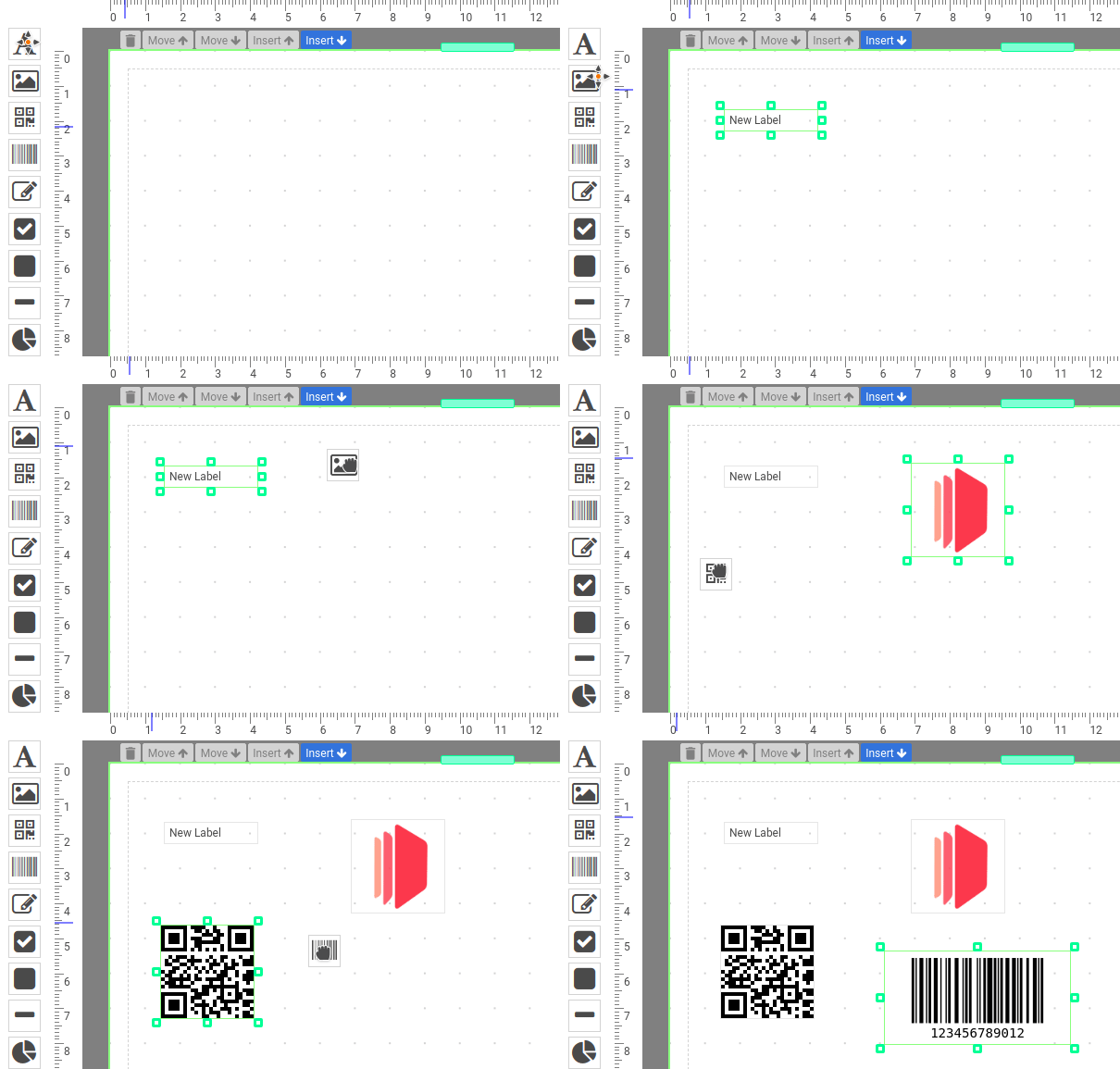
Our advanced editor allows you to easily create new PDFs by dragging and dropping the elements into your PDF templates.
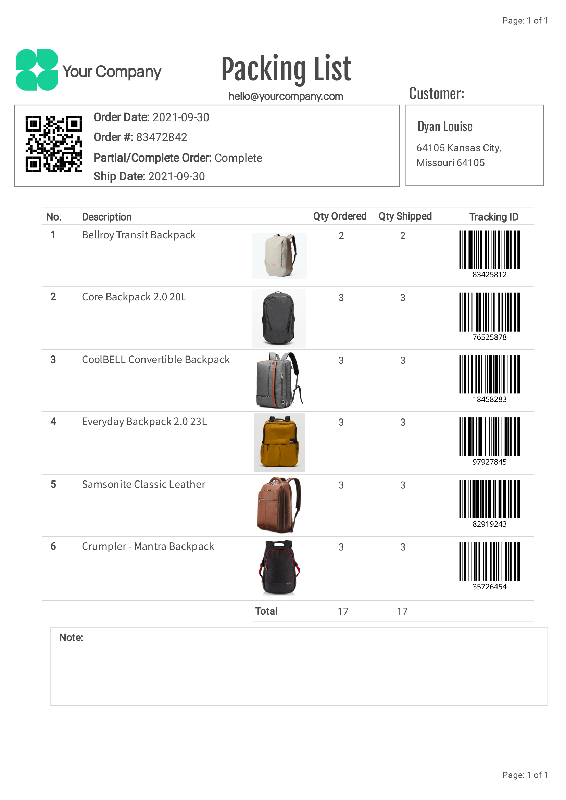
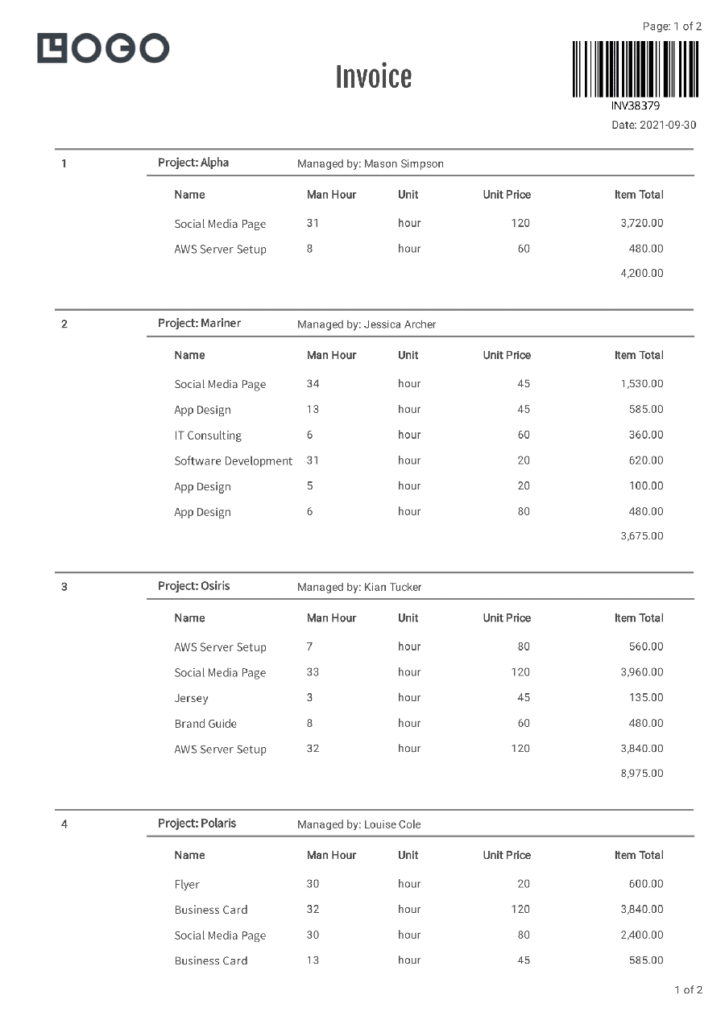
You can create PDF documents easily such as invoices, reports, delivery notes that reflect your brand.
If you are still converting HTML code to PDFs and looking for an easy way to create PDF documents – Our PDF template editor does not require HTML or CSS knowledge.
Learn more about the PDF designer.
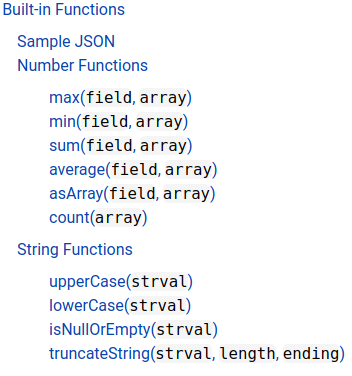
An expression is essentially a javascript syntax enclosed in {{ and }}. The expression is any valid set of variables, operators, and expressions that evaluates to a single value. The value may be a number, a string, an array or a logical value.
You may also use any of the standard built-in objects such as Math, String, Array or methods in the expressions.
Advanced Formatting with Expressions
Our template editor supports advanced formatting. You can easily format number, currency and date time with CraftMyPDF’s expressions.
The following is an example to format a currency field:
{{ format(data.total_amount, "number", "$0,0.0000") }}
curl -X POST \
--header "Content-Type: application/json" \
--header 'X-API-KEY: 7832MjA6MTE6UjlkM3h4emxpTExzeFR0aQ=' \
--data '{"template_id": "05f77b2b18ad809a", "export_type":"json", "expiration": 10, "output_file":"my_new.pdf", "data": "{ \"invoice_number\": \"INV38379\", \"date\": \"2021-09-30\", \"currency\": \"USD\", \"total_amount\": 82542.56 }", "output_file": "output.pdf"}' \
"https://api.craftmypdf.com/v1/create"
Streamline your workflow and save time on repetitive PDF document creation with our easy integrations with Zapier, Integromat, Bubble.io and REST API.
We support regional API-endpoints. A regional API endpoint is intended for customers in the same region. The data for the request and generated PDFs are processed and stored within the region.
Modern and Geometric Purple Certificate
Bold and Dynamic Certificate
Colourful, Fun & Celebratory Pink Certificate
*No Credit-card Required!

TL;DR This guide shows you how to automate job application

Learn when Google Docs works for simple PDF automation, where it starts to struggle, and how CraftMyPDF helps you generate reusable, dynamic PDF documents from forms, spreadsheets, CRMs, and APIs.

Reporting automation makes it easier to create consistent, branded PDF reports without copying data manually between spreadsheets, dashboards, and documents.
In this guide, we walk through how automated PDF report generation works and how CraftMyPDF fits into the workflow.

In this guide, we will walk through how to generate PDF documents from Airtable using the CraftMyPDF extension. The workflow is simple: prepare your Airtable base, install the extension, design your PDF template, and generate PDF invoices back into an Airtable attachment field.
*No Credit-card Required!
We contribute 1% of revenue to fund carbon removal
Email us at hello@craftmypdf.com for support
| Cookie | Duration | Description |
|---|---|---|
| cookielawinfo-checkbox-analytics | 11 months | This cookie is set by GDPR Cookie Consent plugin. The cookie is used to store the user consent for the cookies in the category "Analytics". |
| cookielawinfo-checkbox-functional | 11 months | The cookie is set by GDPR cookie consent to record the user consent for the cookies in the category "Functional". |
| cookielawinfo-checkbox-necessary | 11 months | This cookie is set by GDPR Cookie Consent plugin. The cookies is used to store the user consent for the cookies in the category "Necessary". |
| cookielawinfo-checkbox-others | 11 months | This cookie is set by GDPR Cookie Consent plugin. The cookie is used to store the user consent for the cookies in the category "Other. |
| cookielawinfo-checkbox-performance | 11 months | This cookie is set by GDPR Cookie Consent plugin. The cookie is used to store the user consent for the cookies in the category "Performance". |
| viewed_cookie_policy | 11 months | The cookie is set by the GDPR Cookie Consent plugin and is used to store whether or not user has consented to the use of cookies. It does not store any personal data. |