
Technical FAQ
We collected the most commonly asked technical questions from users of CraftMyPDF
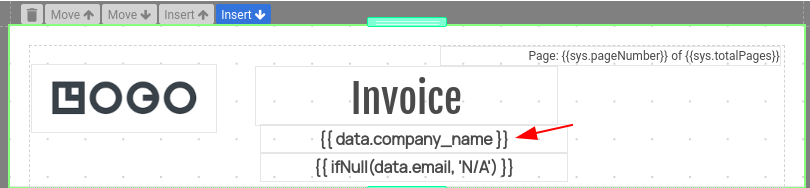
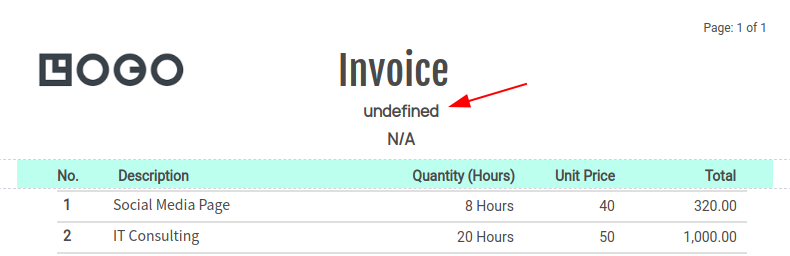
Why I’m getting ‘undefined’ and what should I do?
The reason that you are getting ‘undefined’ is that the property/field doesn’t exist. To replace an undefined field with ‘N/A’, you can use the following expression:
{{ ifNull(data.email, ‘N/A’) }}
How to use a base64 image in a PDF and convert an image to base64(Zapier and Integromat)?
You may use a data URL and an expression to embed images inline.
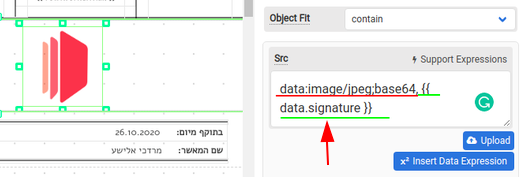
In the Src property use the following expression:
data:image/jpeg;base64, {{ data.imagebase64Field }}
The following is the screenshot:
How to convert an image to base64 string?
(i) Integromat/Make – Use the string function base64 to convert an image to a base64 string.
(ii) Zapier – Use Javascript or Python code to convert an image to a base64 string
How to create a multiple-page PDF with normal sections?
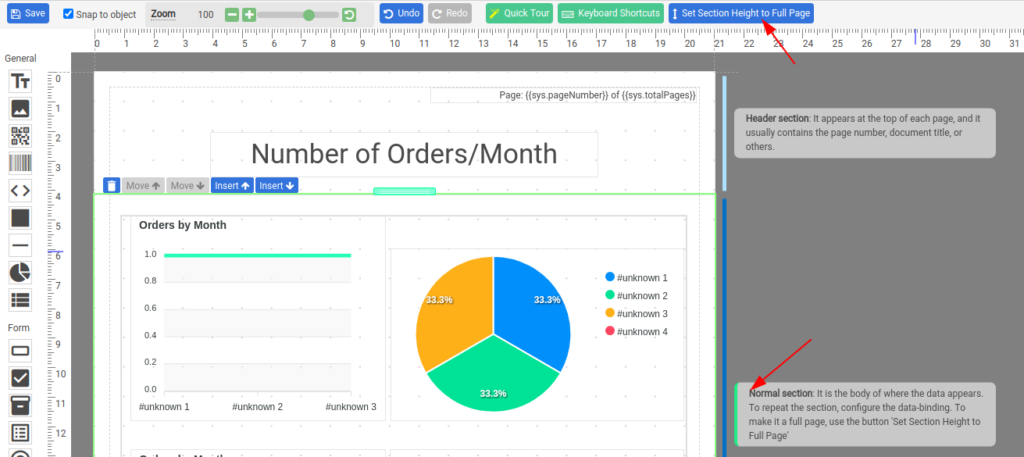
Each normal section can be a page – as long as you adjust its height to the page body height. First, click on a normal section to select the section. Next, in the upper toolbar click on the Set Section Height to Page Height button.
Find out more at here
How to repeat an array with a data-bound normal section?
A normal section in CraftMyPDF is designed to work with array-type data in JSON data.
To enable data-binding for a section, select a normal section and in the Data binding selection, check on Enabled and use an expression to bind the JSON array to the Data Source.
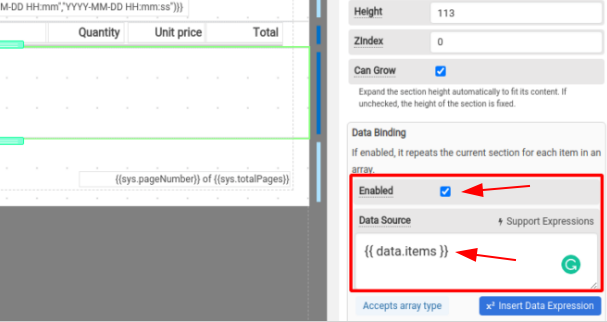
In a data-bound section, you can access the data row by using the following expression:
{{ row.[field] }}
Find out more at here
How to remove the header or footer of a PDF template?
Select the header/footer section and set the height to zero(Please don’t set it to empty)
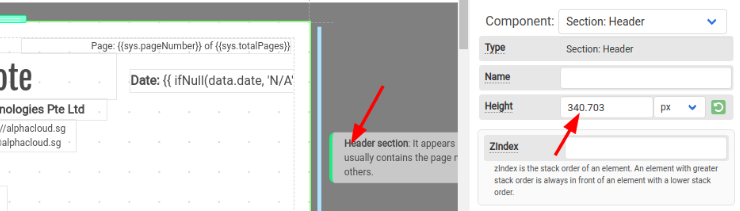
How to make the height of a normal section grow dynamically?
If Can Grow of a normal section is enabled, a normal section expands the section height automatically to fit its content. If unchecked, the height of the section is fixed.
How to debug my JSON data?
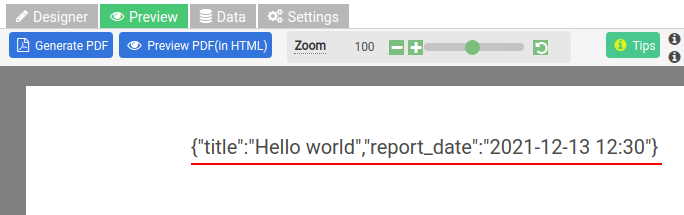
To display available JSON data, you can use the following expression:
{{ JSON.stringify(data) }}
It displays the data in JSON
Does CraftMyPDF provide PDF/file hosting?
We currently do not provide PDF/file hosting. Once a PDF URL is expired, it will be purged.
How to embed an external font?
Find out more at here
We hope you enjoy our products as much as we enjoy offering them to you.
If you have
any questions or comments, please don’t hesitate to contact us at hello@craftmypdf.com
Start generating PDFs in minutes
Design templates in your browser and generate pixel-perfect PDFs through a simple REST API or your favourite no-code platform.
Free plan includes 50 PDFs per month. No credit card required.